
The loop
1. The request, in your words
You write what you need. Beegait stores it in the card under 📝 Request — as written by you, byte for byte. No agent may edit that section; the engine refuses and restores an agent edit. Attach a mockup, a spreadsheet, a spec: the ingestion gate tells you how many files, tokens and minutes it will take before it reads anything, and it never quotes money.
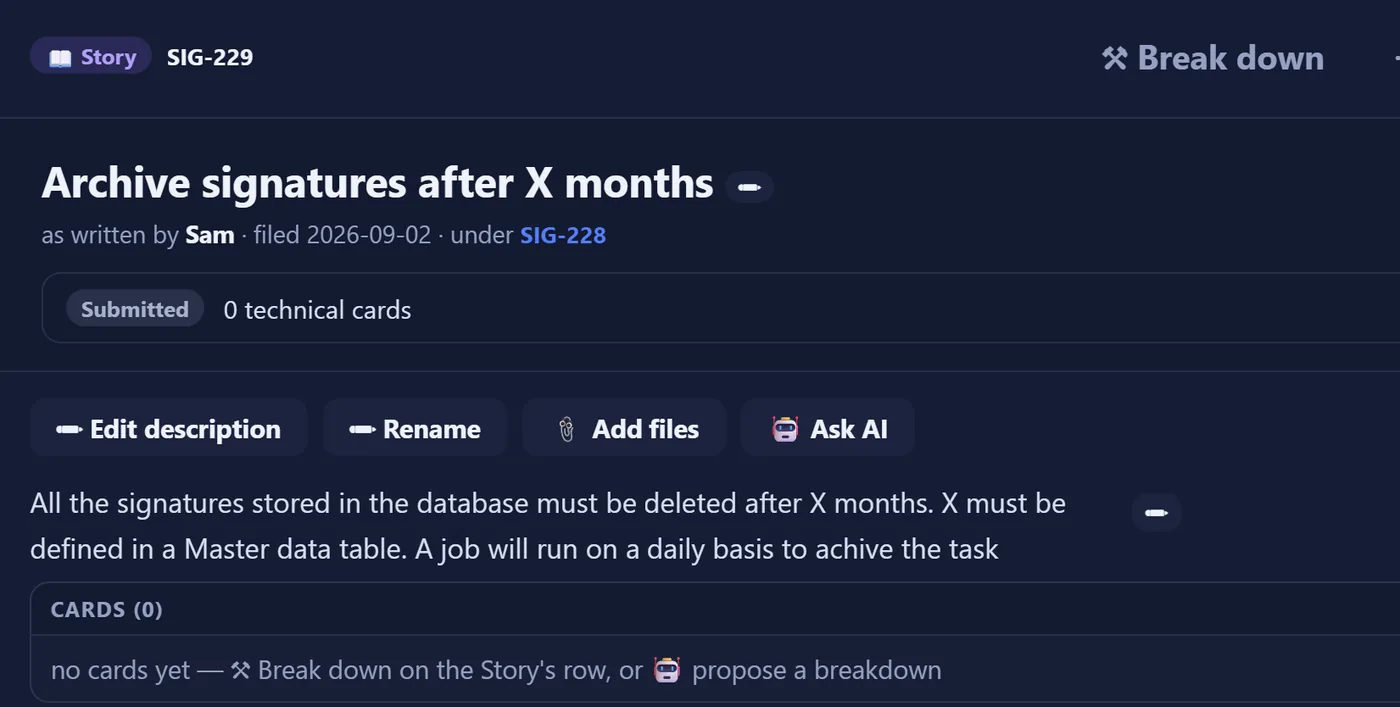
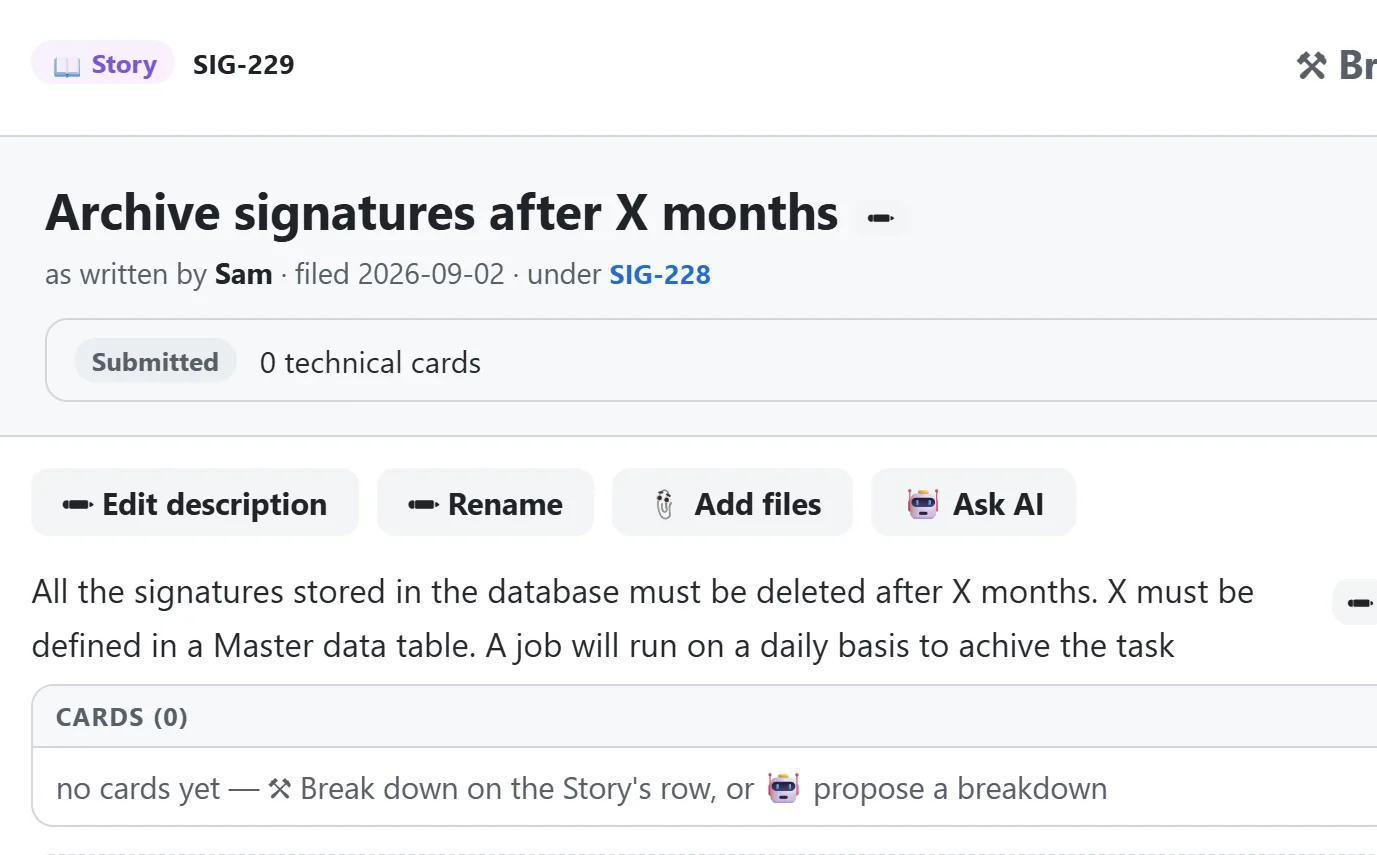
2. The read-back and the breakdown
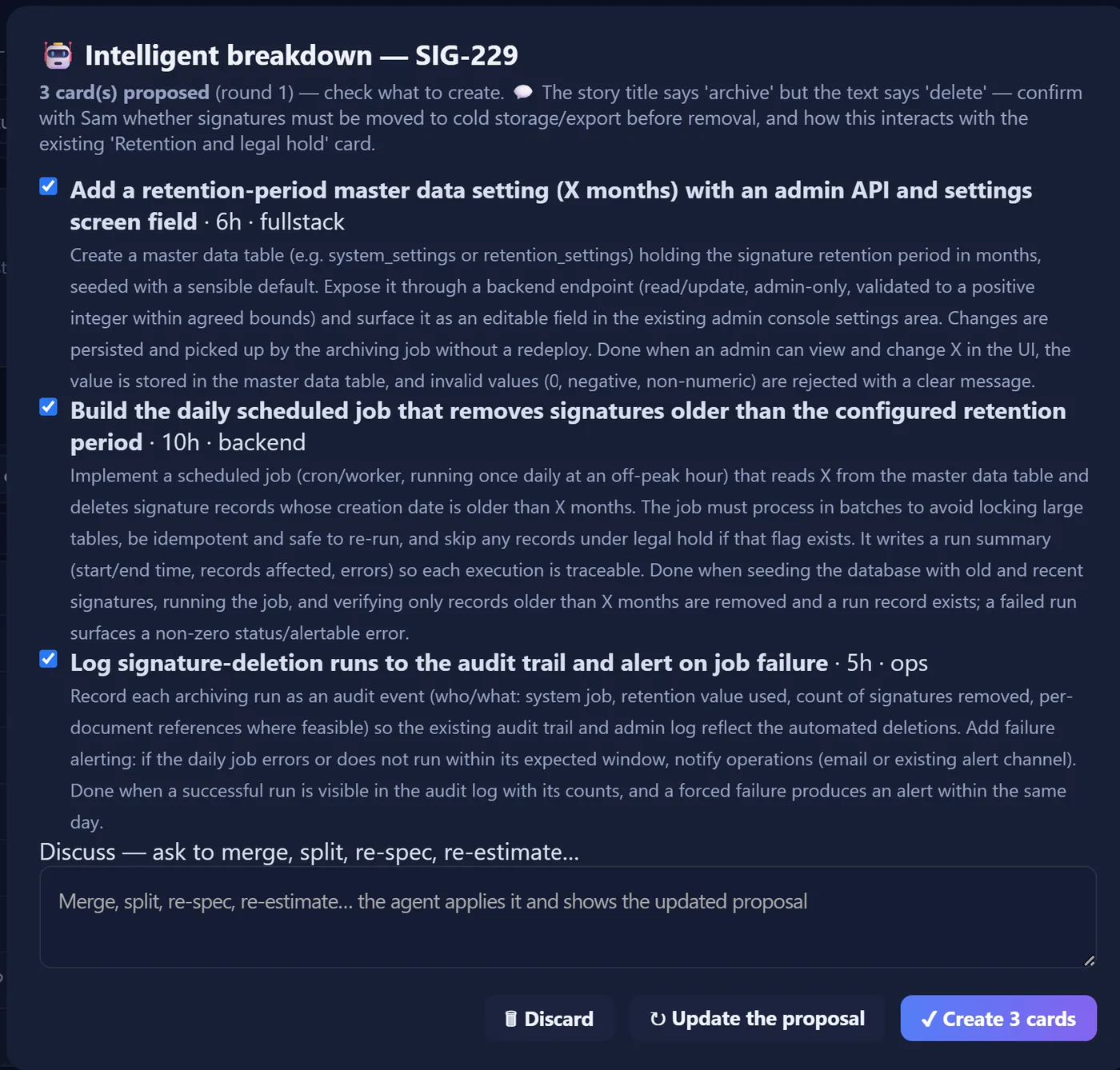
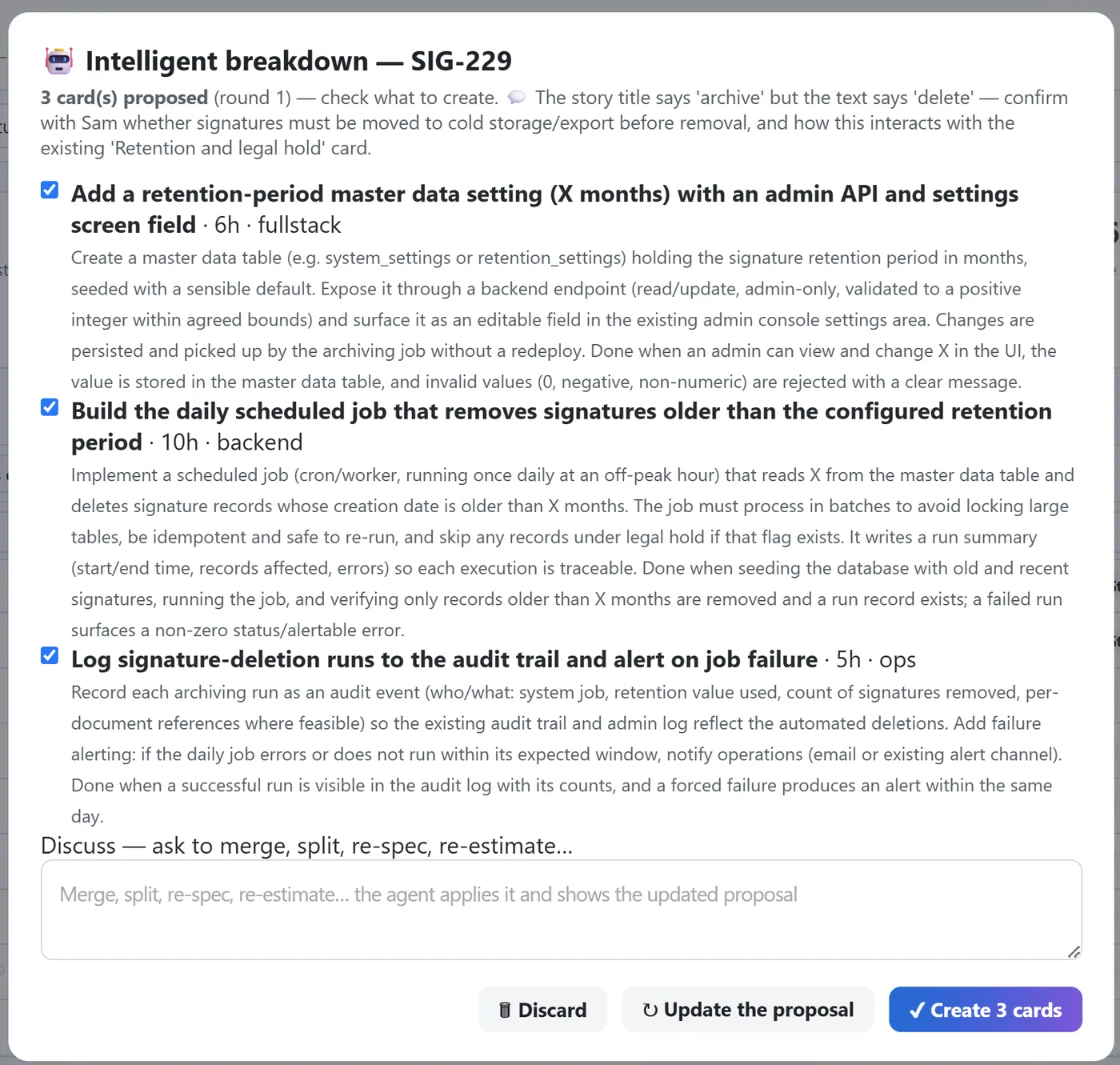
Beegait restates your request under 🤖 Reading back, proposes business-level Stories, and breaks them into technical cards grounded in your repository at a commit. Each technical card carries test cases and an estimate in hours. The breakdown ends with a coverage verdict: what in your request is covered, and what is not.
3. Execution, on your machines
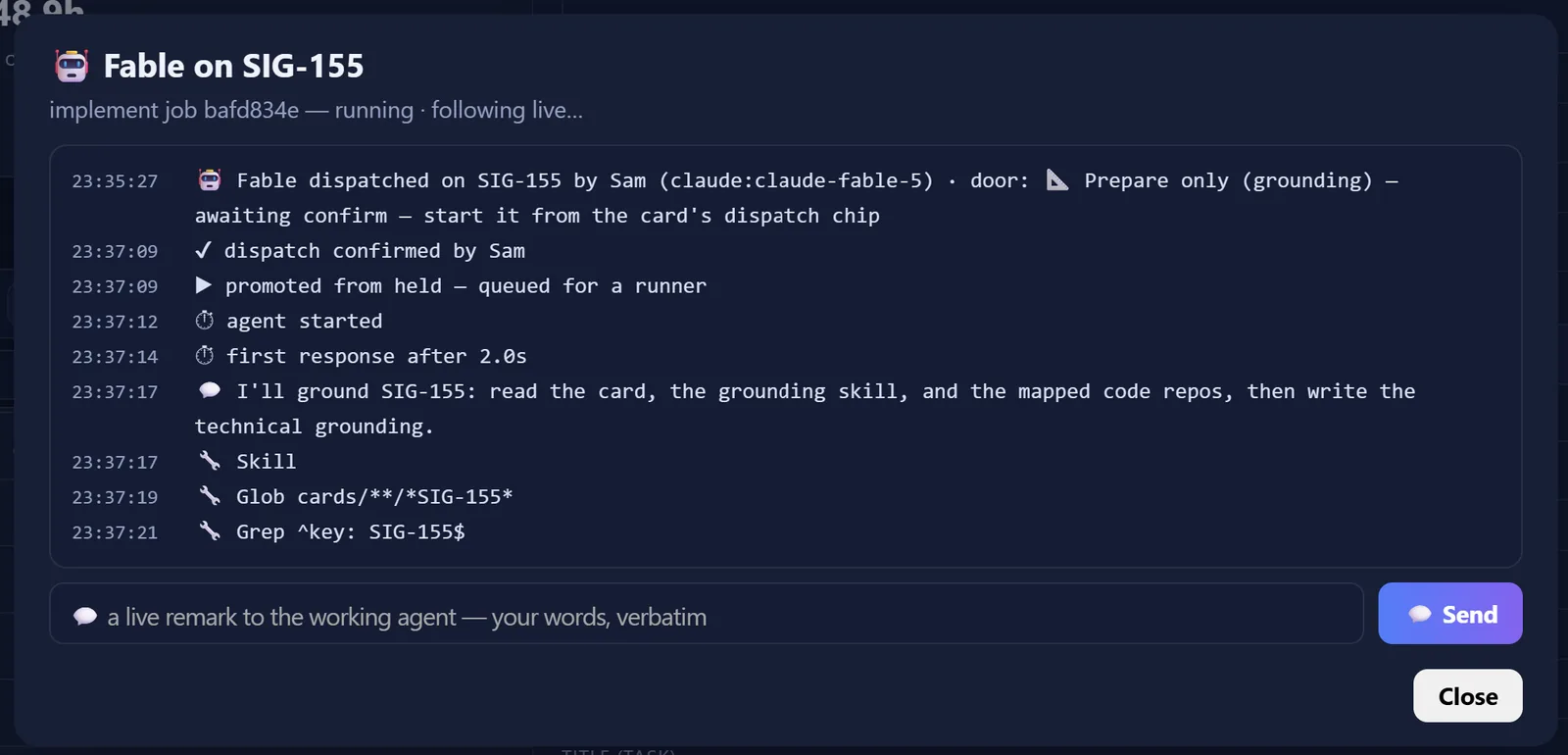
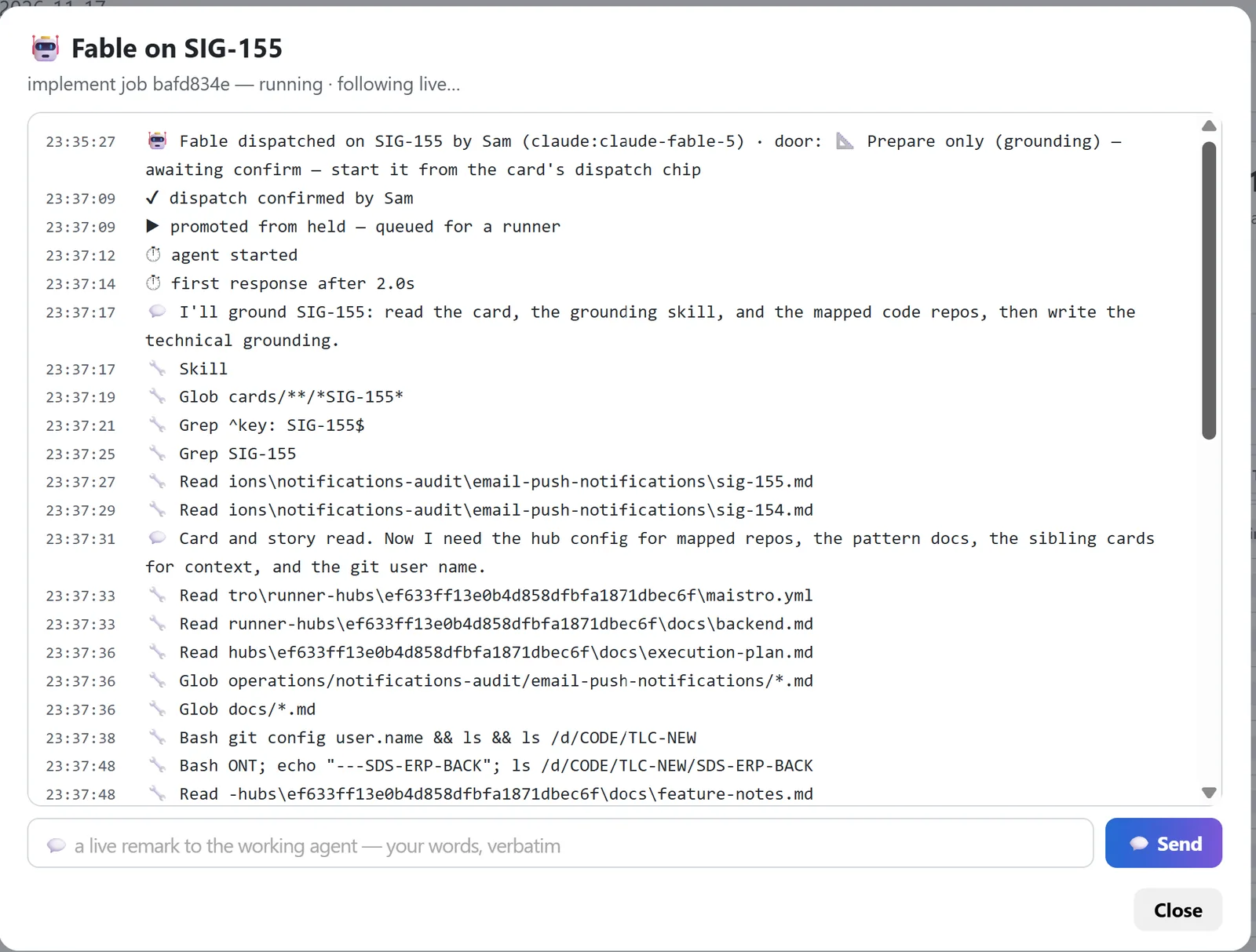
A card is assigned to a teammate. A teammate may be a person, or a named virtual teammate with a trust level: confirm each step, or run to the end. Work runs on a developer’s machine through a paired runner, on their own subscription or a key they configure there. No runner online: the job is refused with a sentence, never run elsewhere. You watch the run, read its reasoning, steer it, stop it.
4. Evidence, then your decision
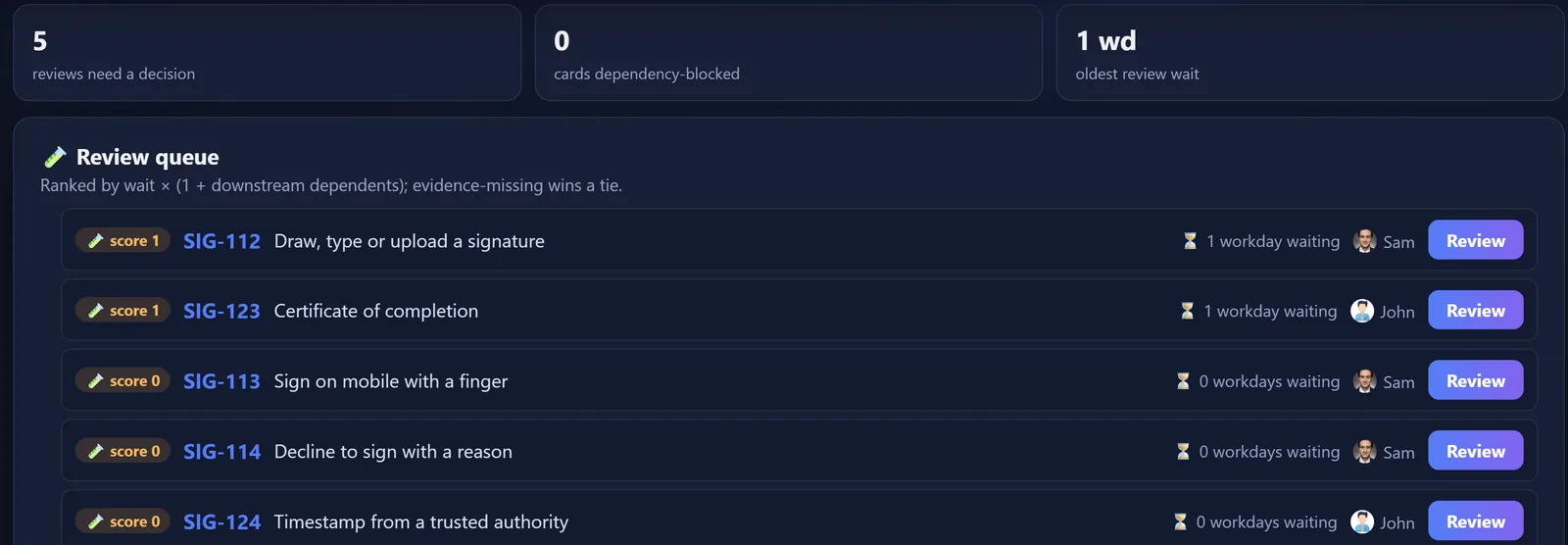
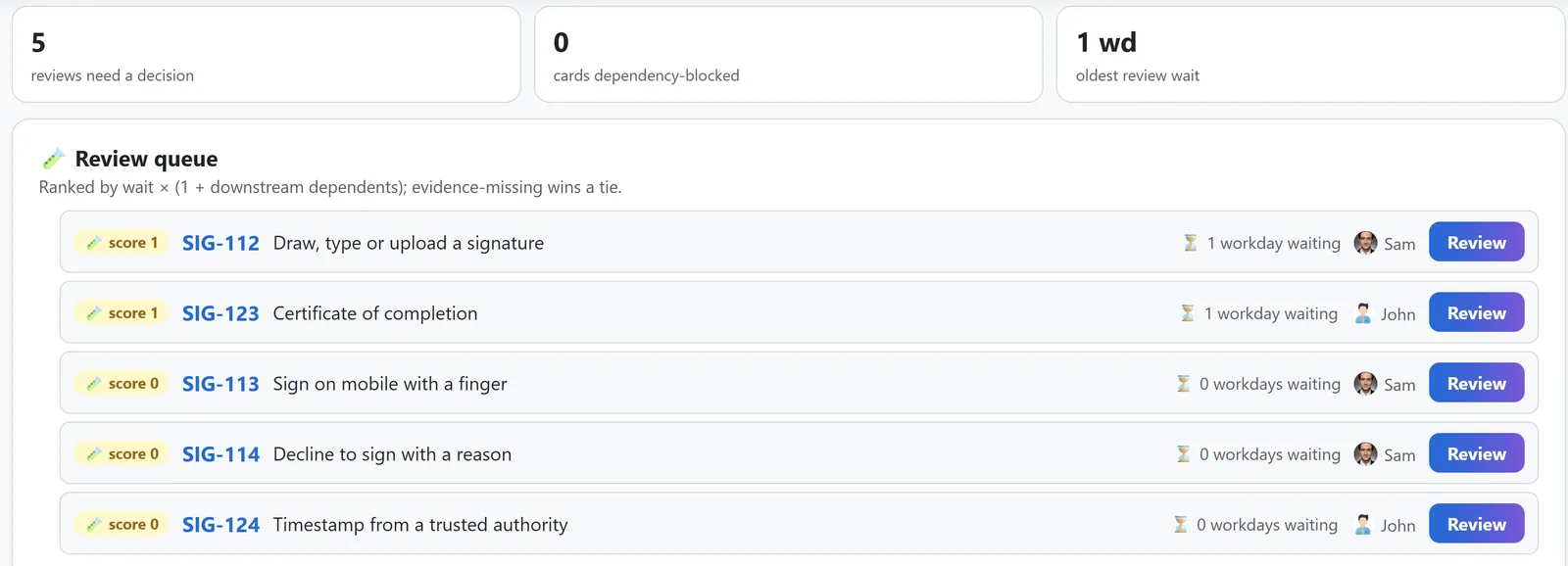
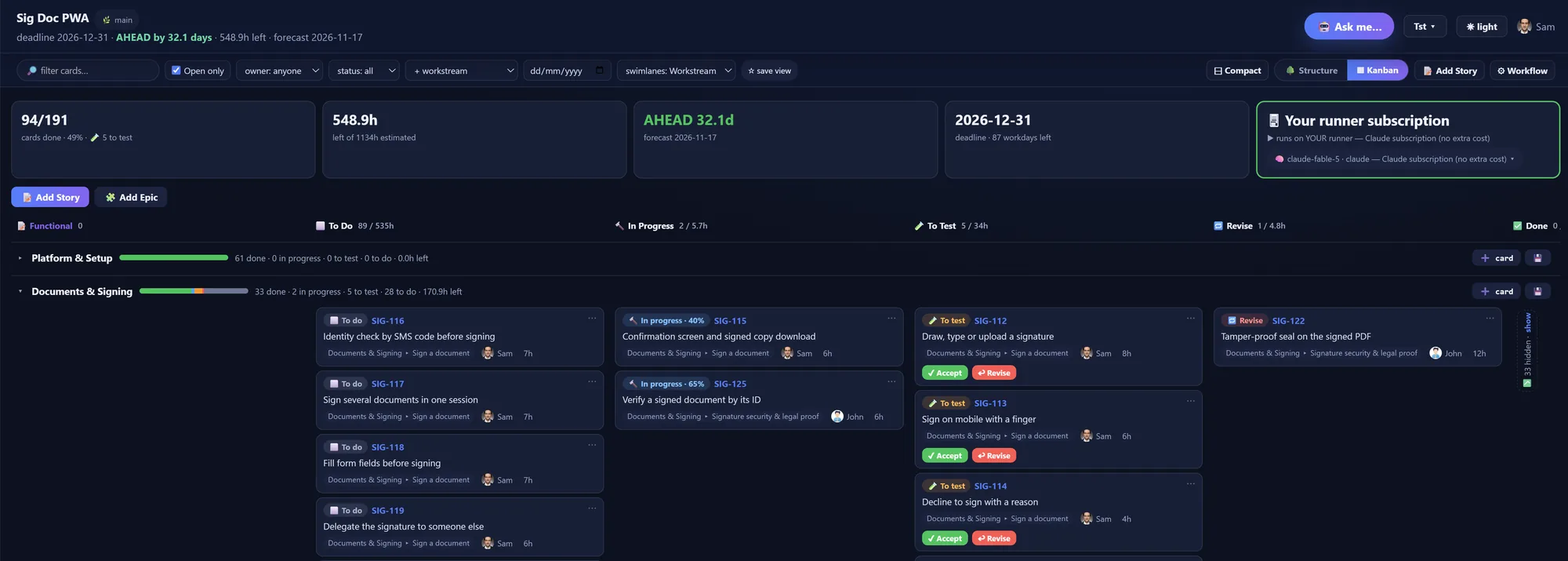
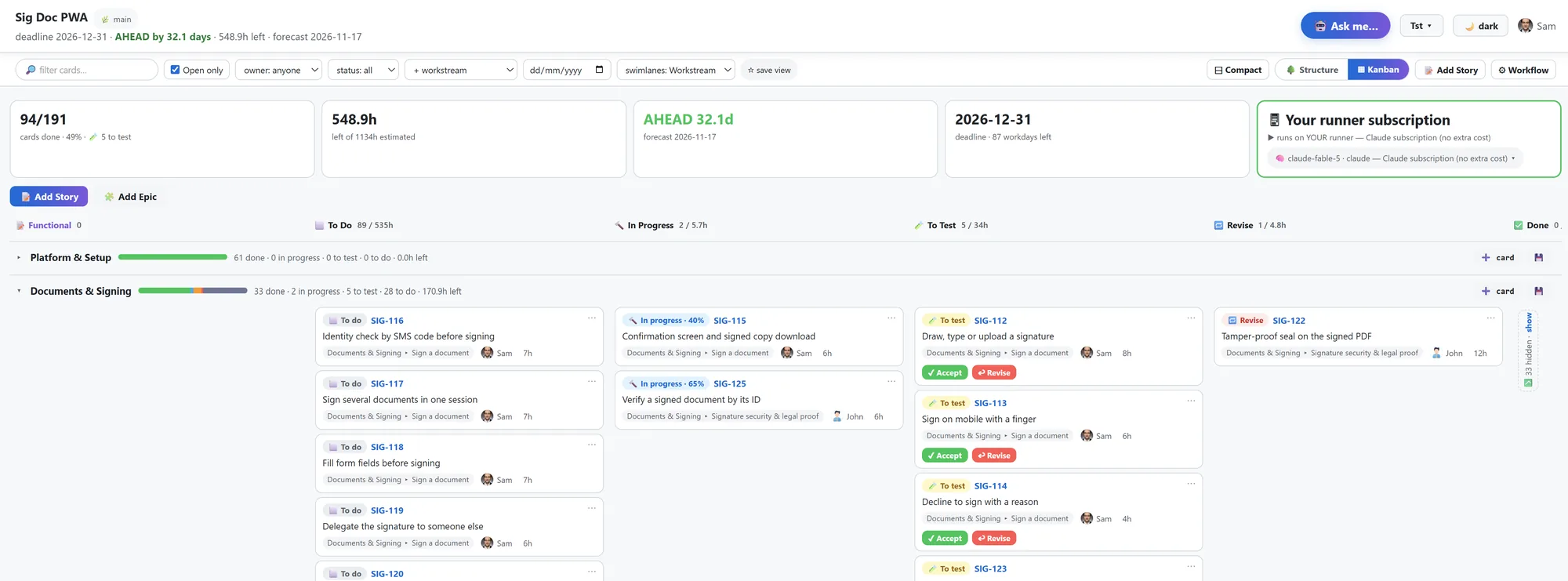
Agents finish at To Test, never at Done. The pack declares which evidence a card must carry; a card without it cannot enter review, and the engine names what is missing. You accept, or send it back with a note. Accept is the only door to Done.
5. Live truth
Ahead or behind by N days, remaining hours, first-pass acceptance, revision cycles, median review wait, lead time. All of it derived from the cards. No status meeting, no time sheet.
For the developer
The CLI and the eight playbooks
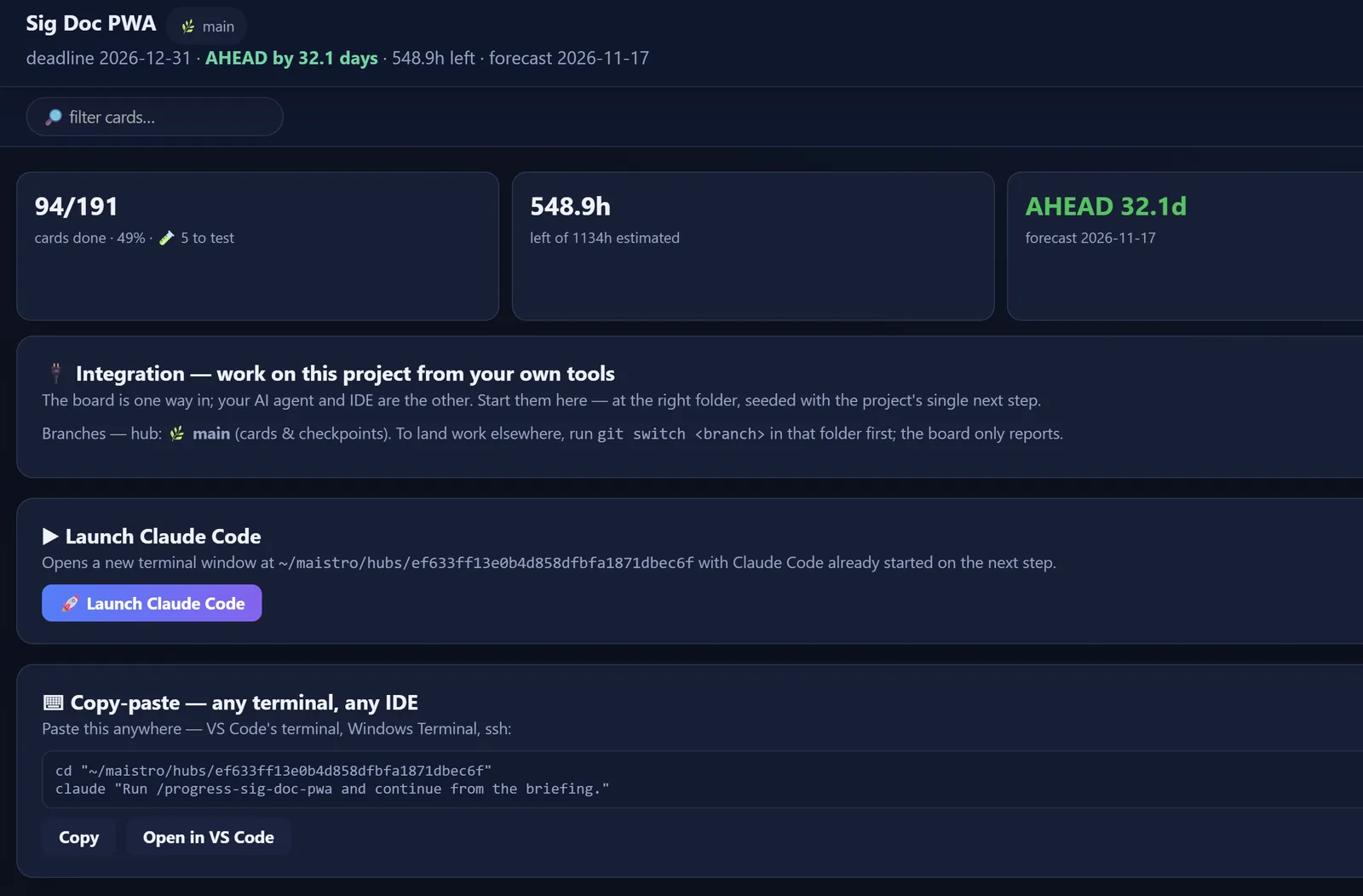
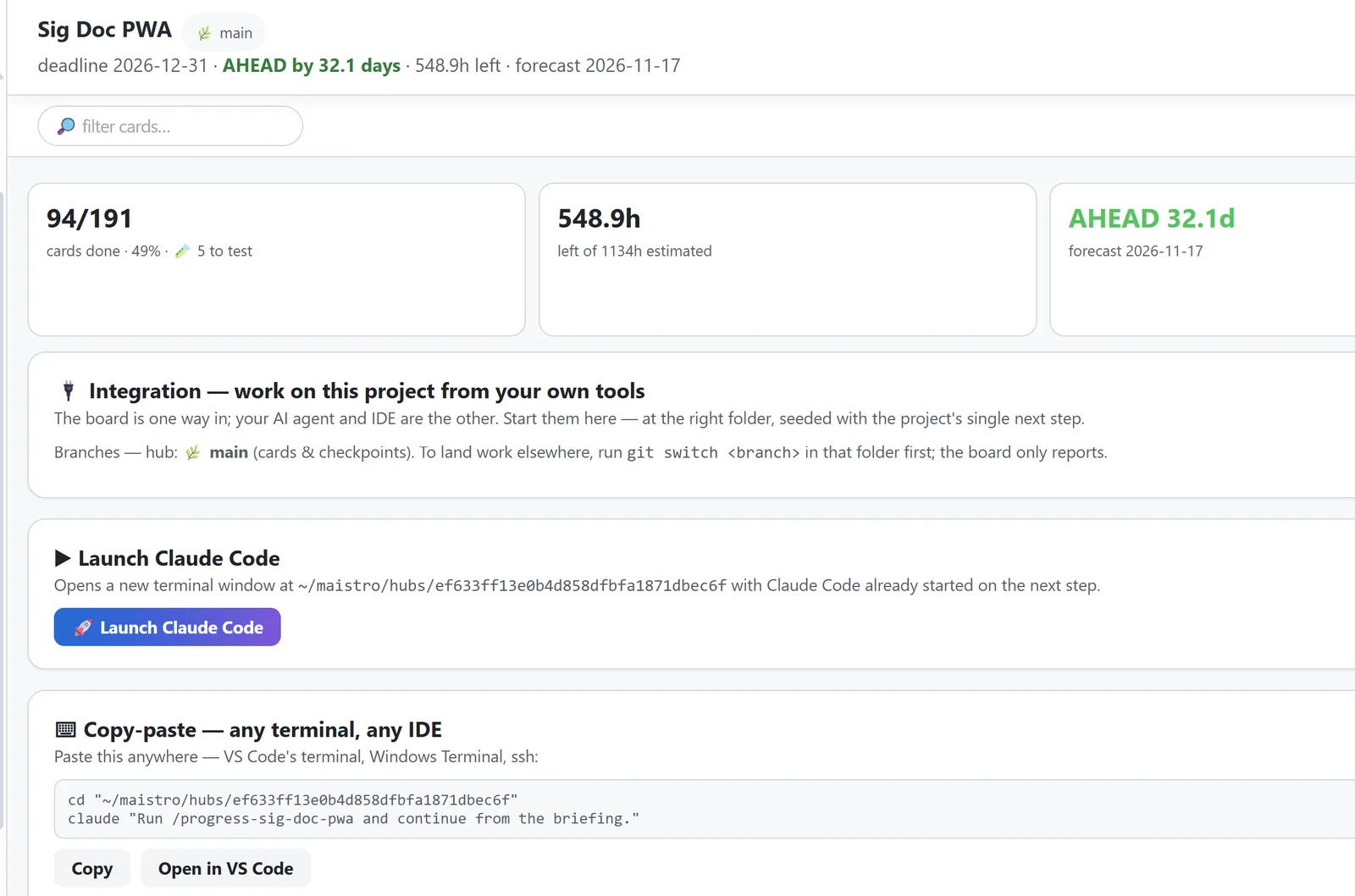
Every hub ships eight agent skills, regenerated from the project’s configuration: a session-start briefing, card authoring, story breakdown, implementation, release notes, knowledge curation, and an end-of-session checkpoint. They run in Claude Code or Codex. The same playbooks run for a person following them by hand.
Context by budget, not by dump
Every governed document stays under 40 KB. An agent reads the index first, then ranked sections by line range, under a token ledger per task. History moves to an archive verbatim, with a zero-loss proof. After every card, the agent writes a few dated lines back into the knowledge base; when the repository drifts, that knowledge is flagged stale.
$ maistro --project wms card context WMS-214
  docs/execution-plan.md                (index)
  docs/inventory.md:L41-L58             the reservation rule this card extends
  cards/wms/reservations/WMS-214.md
📏 context ≈ 6,200 tokens (knowledge 34,800 — 82% saved)
The runner
A small process on your machine, paired once with a ten-minute code. It talks outbound only, claims typed jobs, and advertises which harnesses it can run: Claude Code, Codex, or both. With neither installed the setup’s connect step does not complete — the page says what was looked for and offers a re-check — rather than pretend. Your code never leaves your machine, and the platform never meters it.
The record
Cards, docs, evidence, decisions, metrics and history are markdown and YAML in a git repository. Dashboards are derived from the files. Export is a clone. The engine on your machine is free for single-player use, with your Beegait account.
maistro.yml            # the project: sections, repos, schedule, pack
cards/
  billing/
    _progress.md       # the team's tracker, under the 40 KB law
    invoice-export/
      BIL-14.md        # request · read-back · steps · tests · log
  _files/BIL-14/       # the evidence the pack required
docs/                  # the knowledge base, written back card by card
.claude/skills/        # the eight playbooks your agents run
Where it runs
Hosted
A repository per project on our platform, mirrored one way to your GitHub or Bitbucket through the GitHub App or a deploy key you register (Bitbucket: the key is registered by your runner — Beegait stores no Bitbucket credential). Orgs, roles and invites; writing seats pay, viewers are free. Execution runs on your developers’ runners.
Self-hosted
The same platform on your server. An installer, a signed license, and an updater that talks outbound only to the release channel with the license as its bearer. The license has four states: valid, expiring, grace, blocked. Blocked closes the product behind a curtain. It never blocks git: your repositories keep serving. First installed on a client’s own server on 2026-09-01, for a team whose code cannot leave the building.
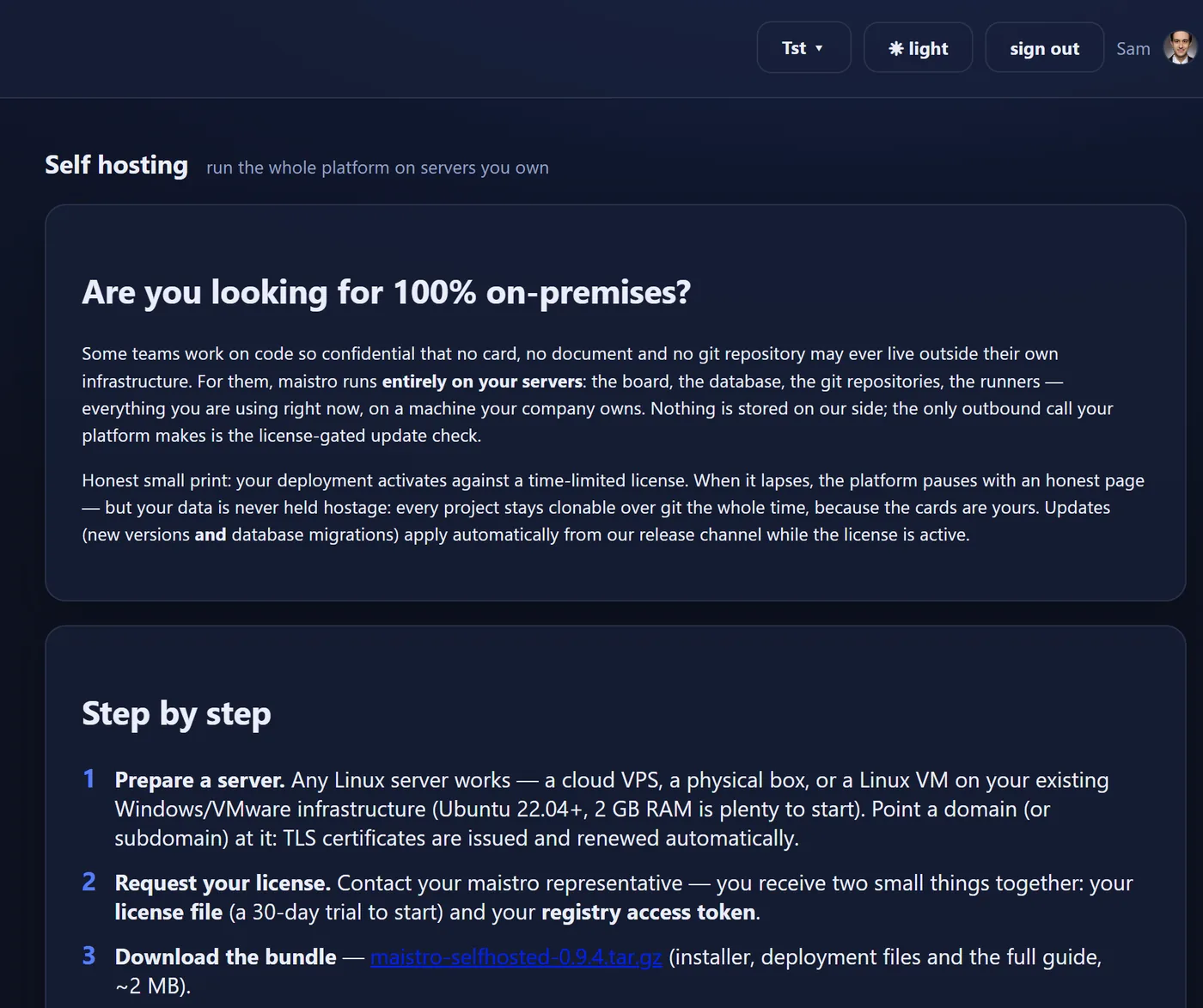
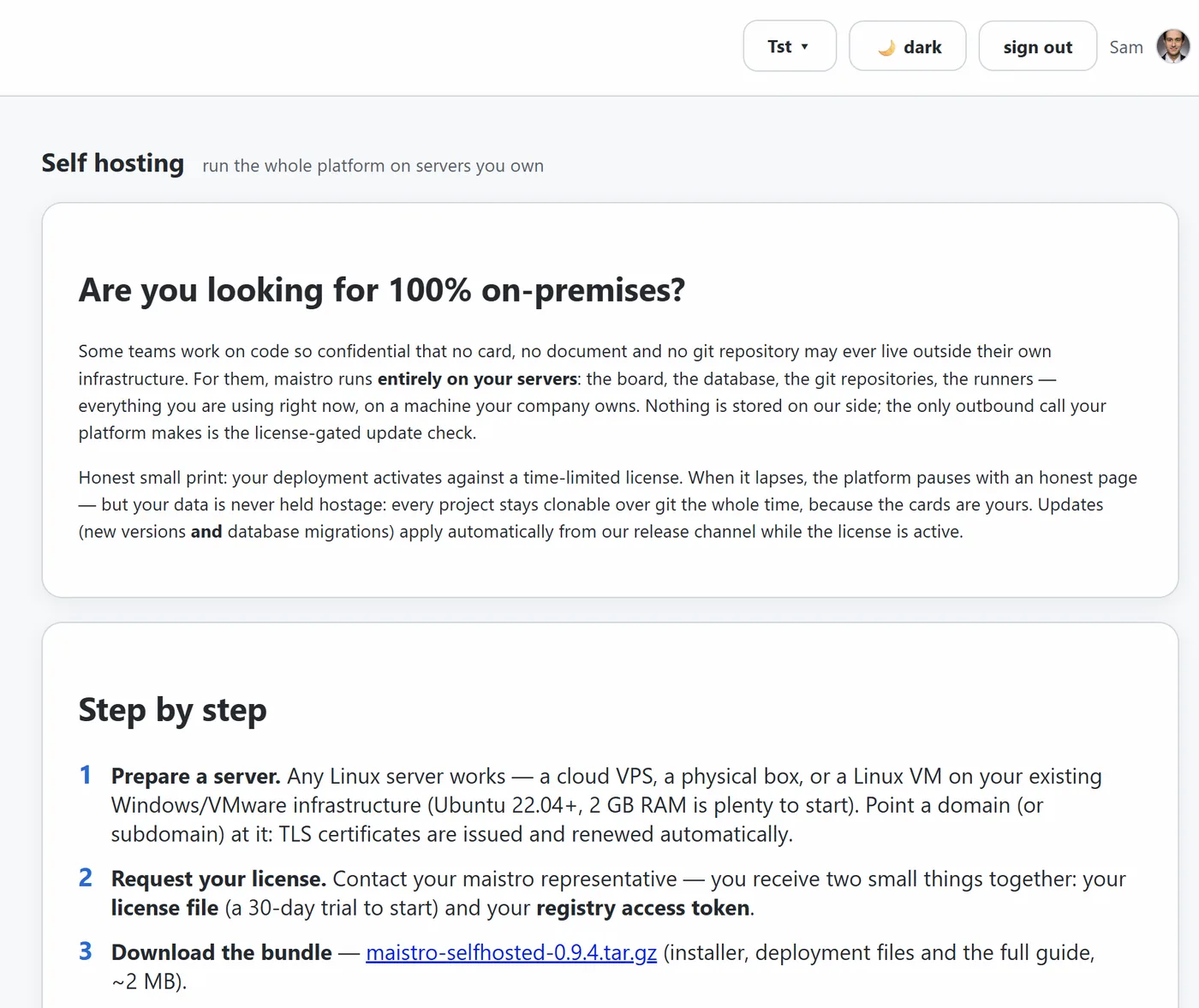
Runner
A small outbound-only process on each developer’s machine, paired once with a ten-minute code. It claims typed jobs and runs Claude Code or Codex on the developer’s own subscription, or on a key the developer configures on that machine. Your code never touches our servers and the platform never meters the work. Every job runs through a paired runner; with no runner online, the job is refused with a sentence, never run elsewhere. An organisation that wants agents always on installs a runner on a server of its own, serving every member’s jobs.
Want pay-per-use instead of a subscription? Put the key on the runner machine: set ANTHROPIC_API_KEY in the environment the runner starts with, restart it, and the runner declares it. The board’s tile then reads “Anthropic API key (pay-per-use)” instead of “Claude subscription (no extra cost)”, so nobody is surprised by a bill. Codex does the same through a profile file. The always-on shape is the Linux package on a small server of yours, serving the organisation, with the key in the service’s environment.
Security facts
- Your organisation never stores an AI provider key on the platform, and the platform holds none of its own: every agent runs on the credentials your developers’ machines hold, the free trial included.
- The runner opens no inbound port. It long-polls outbound, runs typed jobs, and its connect step completes only with a supported harness (Claude Code or Codex) found on the machine.
- A repository can be connected runner-only: the platform keeps its address and nothing else, no key and no token. Every check and every read happens on your runners with their own access — on the runners of the person who asked; a teammate’s machine never reads it for them.
- One job per hub at a time. A collision is an honest refusal, never a silent retry.
- Document ingestion quotes files, tokens and minutes before it reads anything.
- The hosted platform is served behind TLS by a single public front; the application and its database are not exposed.
- Every host and product control, with its owner and its status: the list, with owners →.
Provider wording, precisely
On your machine: Claude Code or Codex, whichever the machine has, on a subscription or an API key you configure there; a Codex profile can point at DeepSeek. On the platform: nothing. It runs no job and holds no provider key, during the free trial as much as after it.
Compared
Two questions place every tool. Who holds the project record? Who executes the work? Ticket tools hold a record humans type, and do not execute. Coding agents execute, and keep nothing. Memory and codebase tools remember for one tool on one machine. Beegait is the one whose record is written by the executors, under a human gate. No “better” on this page. Only what each holds and where it stops.
vs ticket trackers with agents
Jira with Rovo, Linear Agents, GitHub Projects. They hold a record people typed, assign agents to issues, and add approvals.
| Ticket trackers with agents | Beegait | |
|---|---|---|
| Intent | Typed, editable by anyone | Verbatim, locked; the agent reads it back |
| Done | A status click | Evidence-gated; only a human sets Done |
| Context for agents | The issue text | A budgeted knowledge base, cited by line range |
| Cost of agent work | Their credits, metered | Your subscription or your key, on your machine |
| Ownership | Their database, an export button | A git repository; export is a clone |
Jira tracks what people typed. Beegait records what agents did, and proves it.
vs a coding agent alone
Cursor, Copilot, Claude Code, Codex. They are the executors. Beegait drives yours; it does not replace it.
| A coding agent alone | With Beegait | |
|---|---|---|
| Plan | A chat thread | Stories and cards grounded at a commit |
| After the session | A memory file on one machine | A record the team and the manager read |
| The manager’s view | “Ask the developer” | A forecast derived from the cards |
| Team | One seat | One hub, many agents and people |
Keep the agent you love. Beegait is where its work becomes a project.
vs files-in-git tools and memory plugins
Backlog.md, Taskmaster, Vibe Kanban keep tasks as markdown in the repository. Auto-memory, claude-mem, Mem0 persist what an agent noticed across sessions.
| Files in git · memory plugins | Beegait | |
|---|---|---|
| Storage | Plain files, one tool, one machine | Plain files, git-native, a hosted team, self-hosting |
| Gate | None | Evidence required before review; Accept is the only door to Done |
| Context | The whole pile, or what one agent noticed | A 40 KB law, ranked line ranges, a token ledger, a zero-loss archive |
| Forecast | None | Ahead or behind by N days, flow metrics, zero reporting |
Same instinct. Then a gate, a forecast and a team on top. Memory remembers what the agent noticed; Beegait records what the team decided.
Complements, not competitors
Codebase intelligence (Augment, Sourcegraph, Greptile, DeepWiki) knows your code at scale. Beegait knows why it was changed. Spec frameworks (Spec Kit, OpenSpec, BMAD) tell agents how to behave. Beegait checks that they did. Autonomous agents in their cloud (Devin, hosted Codex, hosted Claude Code) run on their meter. Their agent, their cloud, their meter. Your agent, your machine, your subscription.
Screenshots are from a demo project on the hosted platform, in both themes, as of 2026-09-03. The scenarios that used to sit on their own page became the films on Watch.